Skip to content

Blog

News, tutorials and release notes

What we keep changing in BolloPrint, and what we learn helping workshops get organised.

tutorialsDraft

Run the BolloPrint agent with Docker

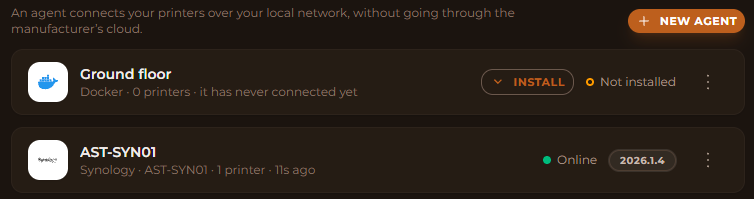
A NAS, a mini-PC, a Raspberry Pi or a server with Docker is all the agent needs. Create it in BolloPrint, paste the manifest it gives you, start it, and your printers show up. No router changes.

Read the article →
More articles

Run the BolloPrint agent on Home Assistant Draft

Already have Home Assistant running in the workshop? Then you already have a home for the agent. Add it to Home Assistant with one button from BolloPrint, install it, press Link with BolloPrint, and your printers show up. No codes, no router changes.

Run the BolloPrint agent on Kubernetes Draft

Already running k3s or another Kubernetes cluster in the workshop? The agent is one Secret and a one-replica Deployment. Create it in BolloPrint, apply the manifest, and your printers show up.

Run the BolloPrint agent on your TrueNAS Draft

Your TrueNAS is already on all day, on the same network as your printers. Paste one YAML into Install via YAML, press one button to link it, and your fleet shows up in BolloPrint. No commands, no router changes.

Install the BolloPrint agent on a Windows PC Draft

Got a Windows PC in the workshop that never gets switched off? That's all the agent needs. Download the installer from BolloPrint, click through it, press Link with BolloPrint, and your printers show up. Nothing to copy, no Docker, no router changes.

Install the BolloPrint agent on a Synology NAS Draft

If there's a Synology in your workshop, that's where the agent belongs. A native DSM package, installed from Package Center and linked in one click. No Docker, no code to copy, no router changes.

Don't miss an update

Product news and workshop tips, once a month.